App development for Android and iPhone.
We design, build and release mobile apps in Flutter, so one codebase runs on Android and iPhone. Two apps we built at Appynox are live on Google Play: SameShot, a camera for progress photos, and Rhino Dash, a game for young kids made in Godot. I also make the store pages and launch videos that get an app found.
What you get
- Cross-platform apps in Flutter for Android and iPhone.
- Interface design, from the first screen to the last.
- Features that run on the phone: the camera, face and pose detection, offline storage.
- Games in Godot, tuned for low-end Android phones.
- Store-ready releases: signed builds, listings, screenshots and feature graphics.
- Launch videos, and store experiments such as two complete store looks made to test against each other.
Work I have shipped
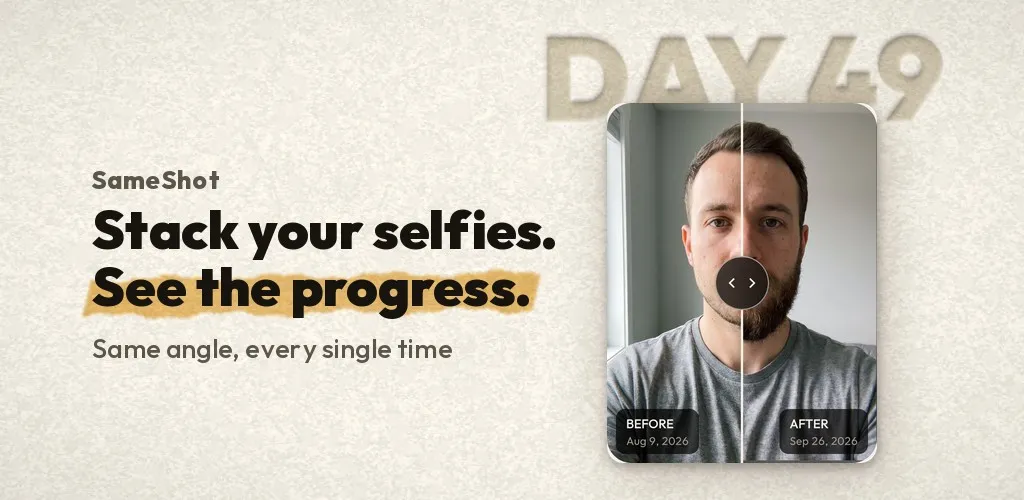
SameShotAndroid camera app, live on Google Play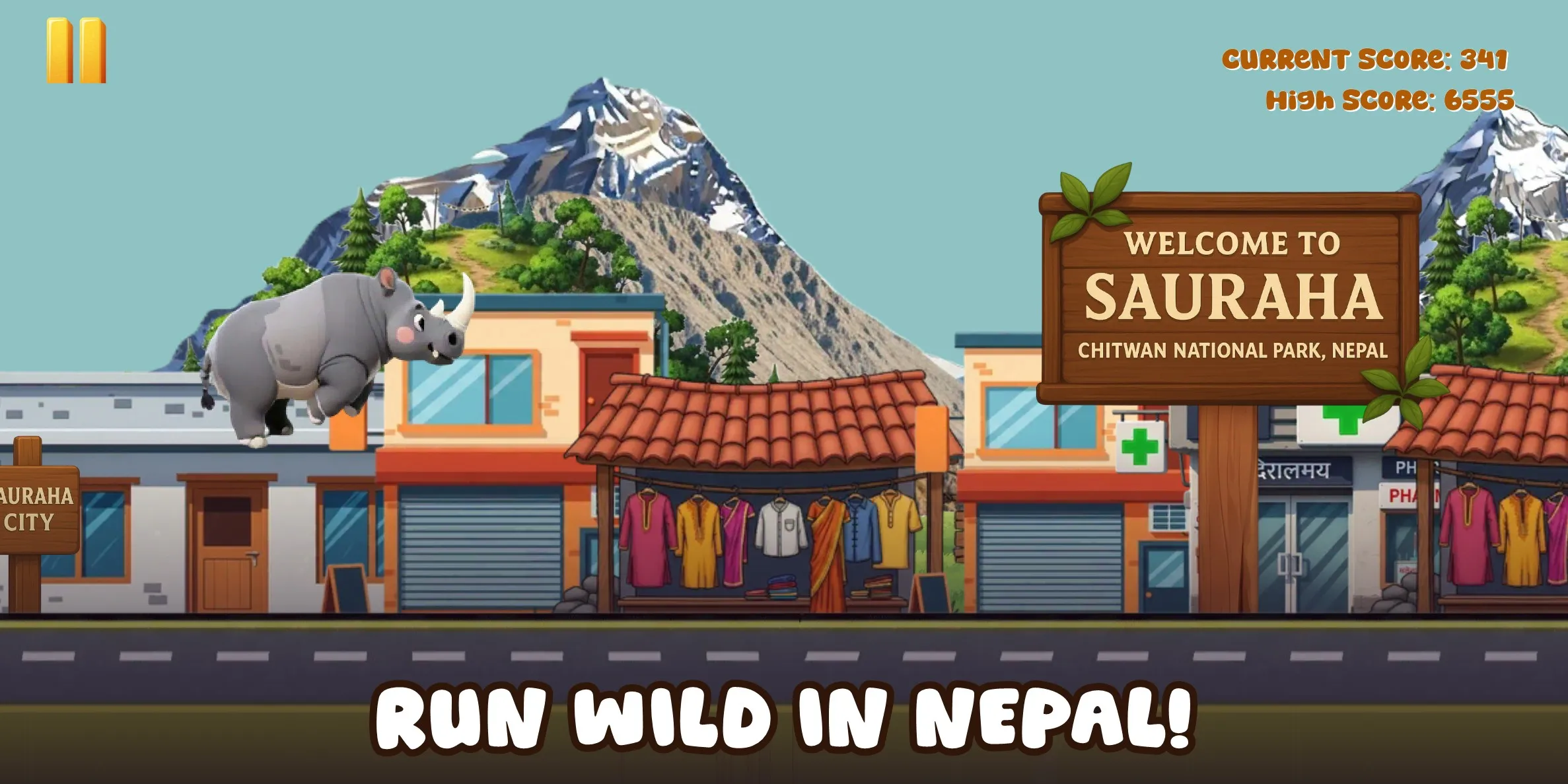 Rhino DashAndroid game for kids, live on Google Play
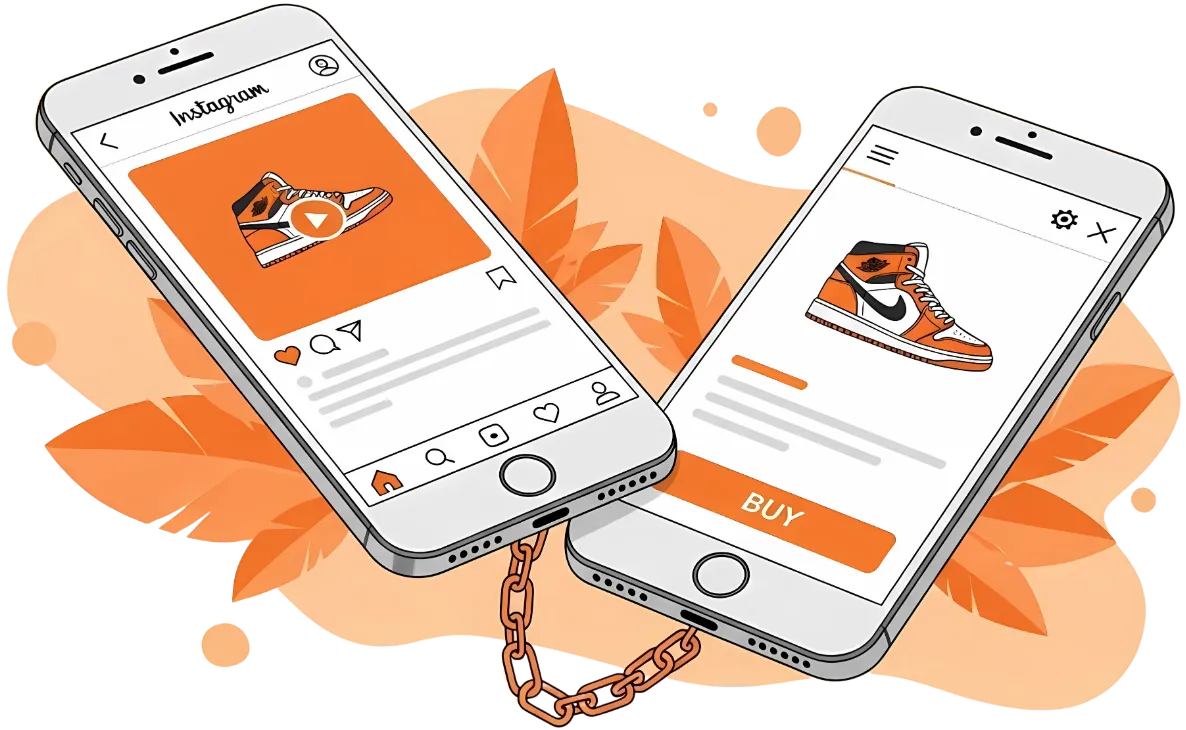 Linkify SocialApp, Telegram bot and website
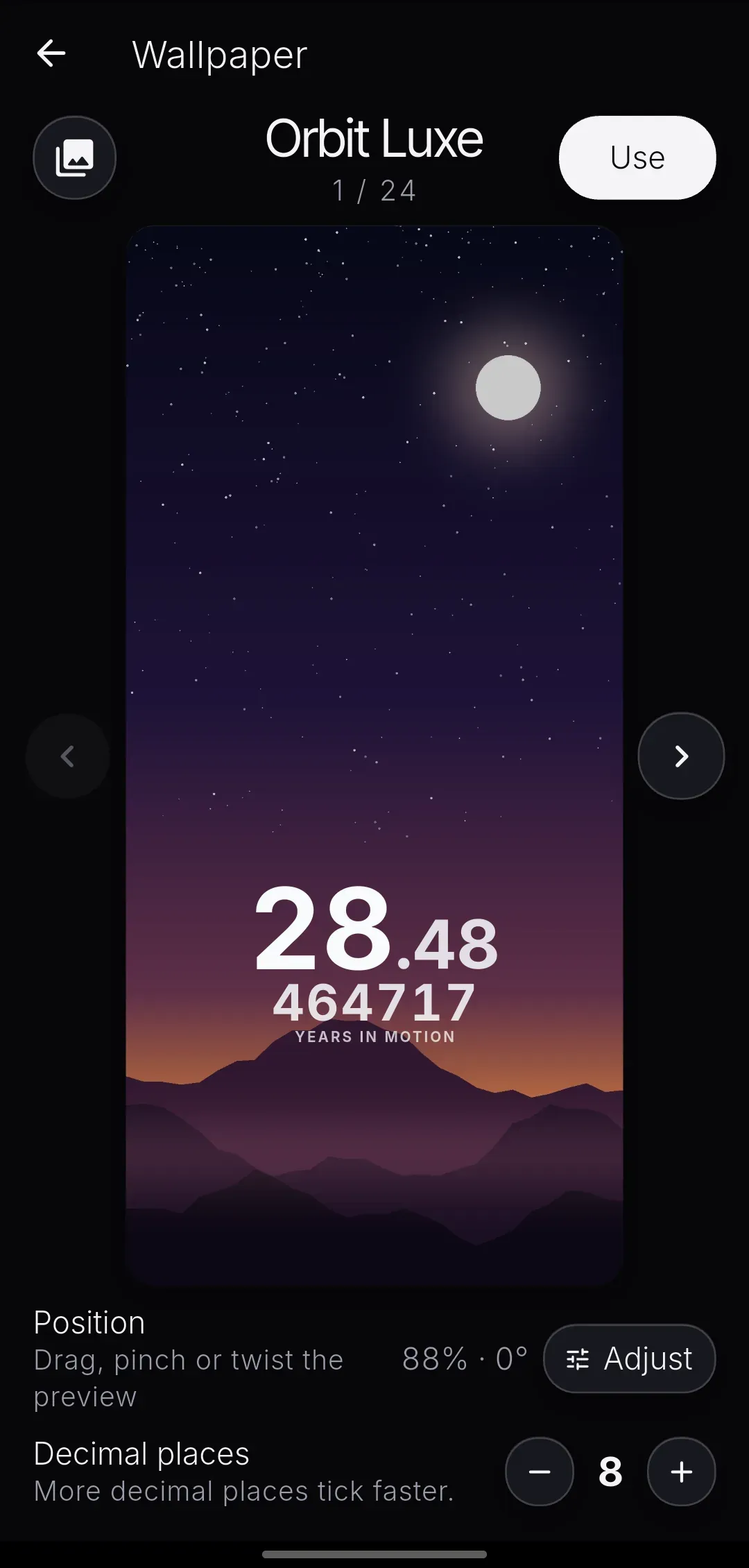 TimeBornLive wallpaper and widget, in development
 DishmoFood discovery app, in development
 MoodWaveOffline music player, in development
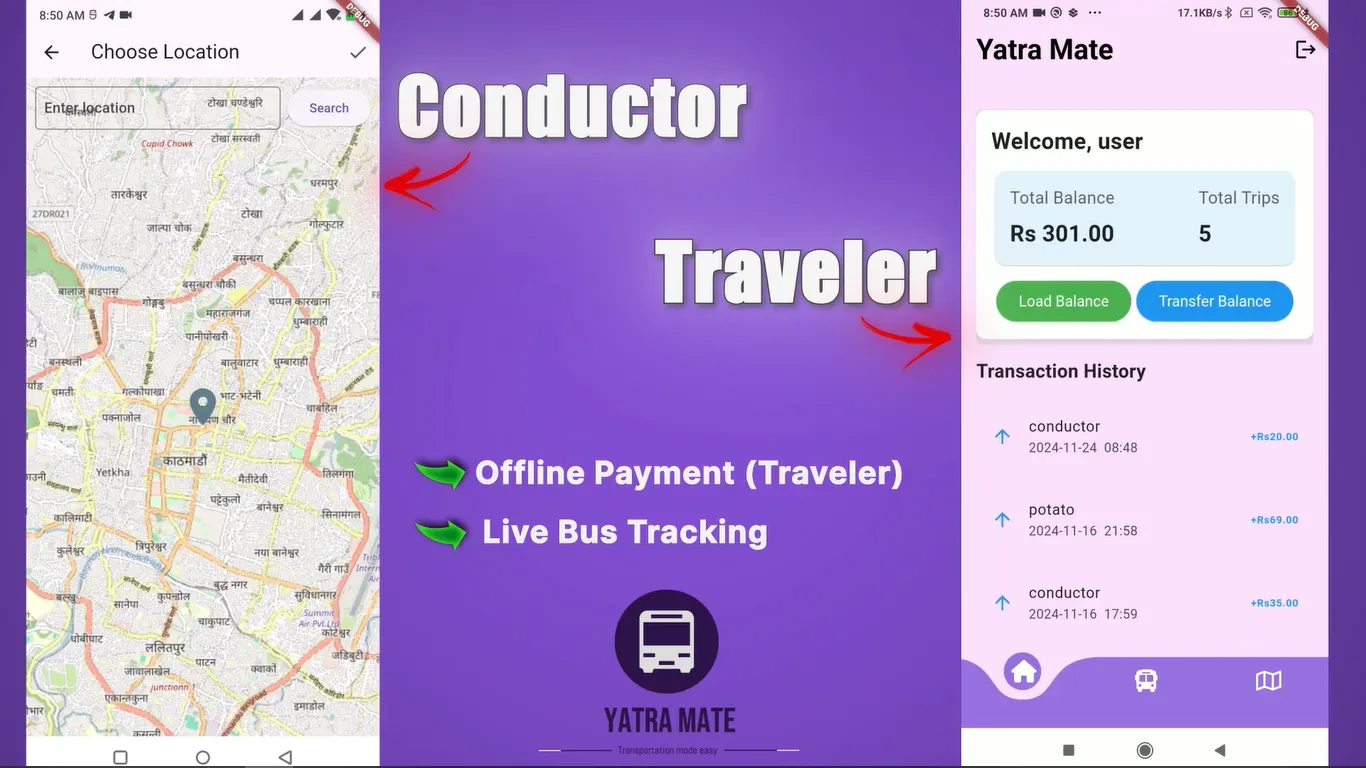 YatraMateKU HackFest 2024 prototype
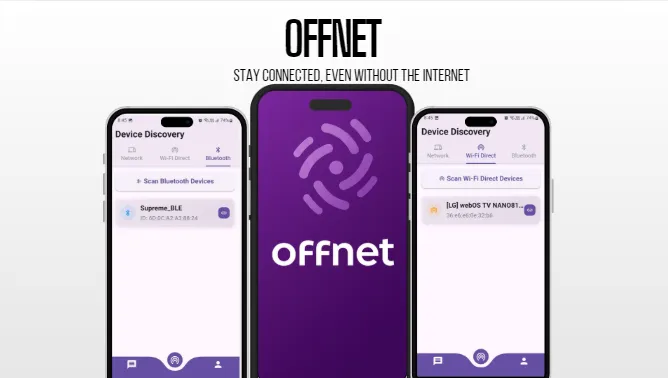 OffNetOffline chat prototype
App development, start to finish
On this page
I do mobile app development for small businesses: I write the spec, build the app in Flutter so the same code gives you an Android app and an iPhone app, release it, and keep it updated. A backend, on-device AI or a game engine goes in only when the app needs one. Two apps from Appynox, the agency I co-founded, are live on Google Play today: SameShot and Rhino Dash.
Mobile app development for small businesses: what I build
An app for a small business usually has one of a few jobs: a tool for staff to use on the job, a way for customers to order or book, or a companion to something you already sell. I can build any of these. Sometimes the right answer is a website or a tool that already exists, and I will say so before you spend anything.
The website development page covers the website route. Most of the examples below are Appynox’s own apps and prototypes, since those are the ones I can show in full.
Flutter app development for Android and iPhone
Flutter is Google’s open-source toolkit for cross-platform apps. You write the app once, in a language called Dart, and it builds for Android and iPhone with the same screens and the same behaviour. For most small-business apps that means one codebase to build, test and update, where separate native apps would need two.
Let me give one example. SameShot is a Flutter camera for progress photos. Its ghost overlay puts a faint copy of your last photo over the viewfinder, so the next one lines up exactly. It uses Google’s ML Kit for face and pose detection and keeps its data in SQLite, a small database that lives on the phone.
So far, my shipped work has been Android app development: SameShot and Rhino Dash are both on Google Play. The iPhone version of SameShot is in development, so I have no App Store release to show you yet. Starting on Android and adding the iPhone version from the same code is a normal way to spread the work, and it is the order SameShot is following. iPhone app development adds an Apple developer account and Apple’s review, and I plan for both.
I choose the tool by the job. Business apps, with their lists, forms, cameras, maps and notifications, fit Flutter well. A game is different.
Game development in Godot
A game redraws the screen many times a second and has to keep doing it on a low-end phone, so it gets a game engine instead of an app toolkit. For game development I use Godot, an open-source engine, and write the game logic in its language, GDScript.
Rhino Dash is a runner game for young kids, set in Sauraha, Chitwan, where the rhinos are. We built it in Godot 4.5. It uses object pooling, which reuses the same obstacles and coins instead of making new ones all the time, and scene streaming, which loads the road just ahead and not the whole level. Both help keep memory use and stutter down on low-end phones.
A build pipeline exports, signs and logs every release by itself, so shipping an update is a repeatable step. The same route works for a client’s game.
On-device AI apps
On-device AI means the model runs on the phone itself, so a photo, a song or a recording does not have to travel to a server to be understood. Two of my apps work this way.
SameShot uses face and pose detection on the phone to check that the live view lines up with the last photo. MoodWave, a music player still in development, sorts the songs already on the phone by mood, energy and tempo with a neural network, and builds a smart radio from the result. It is a Flutter app that reaches its TensorFlow Lite model through a Kotlin bridge.
On-device models have limits. They have to be small enough to run on a mid-range phone without draining the battery, so they suit narrow jobs such as finding a face, tagging a song or reading a barcode. A feature that needs a large language model often runs on a server instead, and then I tell you what leaves the phone and what it costs to keep running.
MVP and prototype apps
An MVP, or minimum viable product, is the smallest version of an app that does its main job for a real person. It is a sensible way to find out whether anyone wants the app before you pay for all of it. In the plan I write down what the first version does, what waits for the second, and what real use would have to show before we build more.
I have built a few first versions. YatraMate is a prototype for cashless bus fares by QR code, built in 48 hours at KU HackFest 2024. That was a hackathon deadline and I am not quoting it as a timeline, but it shows how small a working first version can be. OffNet is a prototype for chat and file sharing between nearby phones with no internet.
Smaller Flutter experiments include a WiFi Scanner that goes from a QR code to a one-tap connection, and a Dementia Care Companion concept with geofenced safe zones and caretaker reminders. Apps still in development include MoodWave, described above, and Dishmo, a food discovery app for the Kathmandu valley.
An app backend, when the app needs one
Some apps need a server behind them: for sign-in, for data shared between people, for payments, or for an admin side where your staff manage content. Many do not. SameShot and MoodWave keep their data on the phone, which is usually simpler to build and cheaper to run.
Linkify Social is a product that does need one. It connects a social post to the product shown in it. We worked on its FastAPI and PostgreSQL backend, a Flutter app and a Telegram bot that replies with the product link, and its website is a Next.js site on Netlify.
FastAPI is a Python framework for the API, the part the apps talk to, and PostgreSQL is the database that stores the data. A backend brings running costs and duties: hosting, backups, security updates and monitoring. So I add one only when the app needs it, and it runs in a hosting account that you own.
How app development works, from spec to release
This is the sequence Appynox follows to ship its own apps, and I follow it for yours. Each stage ends with something you can look at.
From idea to a written spec, with a reason
Every app starts as a written spec. It says who the app is for, what they use today, and why they would install this one instead. If I cannot write that reason in a few sentences, we talk before anything is built.
I design the interface too, so the spec also holds the screens and the design rules. Those rules are called design tokens: the named colours, text sizes and spacing that the whole app reuses. They keep the sixth screen looking like the first.
Agent-assisted build with review checkpoints
I build with AI coding agents. They draft code, refactor it and write tests, which is a lot of typing I no longer do by hand. I decide the architecture, give the agents the spec, and read what comes back at each checkpoint before the next stage starts.
So the agents write a first draft and a person judges it, and nothing is accepted because a tool said it was done. For you, the visible result is a test build on your own phone as the app comes together, and that is the time to ask for a screen to change.
Performance checks before anything ships
Before a release, the build has to stay inside budgets set for it. I watch three: memory use, frame-time spikes and cold start.
Older phones have less memory and close an app that takes too much, and in a game the textures, the images kept loaded, are often the biggest cost. A frame-time spike is one frame that takes too long to draw, and the user sees a stutter. Cold start is how long the app takes to become usable after you tap its icon.
A build that misses a budget does not ship. I run these checks on real Android phones, not only in an emulator, because a phone is where problems show first.
Signed builds and the store kit
An Android release is a signed Android App Bundle, the file format Google Play takes for new apps. The signature shows that an update comes from the developer who published the app. Next to the build I make the store kit: the icon, the feature graphic and the screenshots.
I built a drag-and-drop composer for this after making the same screenshots by hand twice. Rhino Dash’s store assets were composed with it, and I have made store art for SameShot and Dishmo too.
Closed testing, release and the next version
Before the public sees an app, it goes to a closed test: a limited release on Google Play to a chosen group of testers, who install it from the store like anyone else. On iPhone, Apple’s TestFlight does the same job. Google can require a closed test before a new developer account’s first public release, so I plan that step in early.
When the testers’ reports are clear, the app ships. Then the cycle continues: ship, listen, repeat. New builds go out in small, regular steps, and real feedback decides what goes into the next one.
Privacy and on-device processing
Progress photos are personal, so SameShot keeps them on the phone. The face and pose detection runs there, the data sits in a local database, and nothing is uploaded. MoodWave takes the same position with music: it analyses your library on the phone, works offline and collects no usage data.
For a business owner, this has three practical effects:
- There is no server holding your customers’ photos or files, so there is much less for you to protect.
- You do not pay a server to process every photo or song, and the feature keeps working without a connection.
- The store declarations are short: Google Play and the App Store both ask what data an app collects, and an app that collects nothing has a simple answer.
The cost of this approach is that you see less. With no usage data leaving the phone, you cannot track what people do in the app, and sharing data between one person’s phones needs a backend. So I decide with you what has to leave the phone, write it into the spec, and check that the privacy policy and the store declarations match what the app does.
Google Play release and app store optimization
For Google Play, a release takes the signed build, the store kit, the listing text and the forms Google asks you to complete about content rating and data. I prepare all of it, so the app goes live with a finished listing.
App store optimization is the work of helping the right people find that listing and decide to install. It starts with the words people search for, which belong in the title and description. The icon then has to read at a small size, and the first screenshots should show the main use at a glance.
For SameShot we made two complete store looks, one light and one dark, to test against each other. Google Play can show two versions of a listing to different visitors and report which one gets more installs.
I also make launch videos. SameShot has one, and Appynox has made 85 social videos for it, as the video at volume case study describes.
No one can promise installs or a store ranking, and I do not. I can make the listing clear, accurate and ready to test. The SEO and launch service covers the wider work around a release: store pages, search and launch-week posts.
After launch: updates, crash fixes and reviews
A published app still needs work. Phones get new operating system versions, the stores change their rules, and the tools the app is built on release new versions. An app that is never updated eventually breaks on one of them.
After each release I look at the crash and startup reports that Google Play gives you, and I fix what repeats. I read reviews the same way. My rule for them comes from the Bhagavad Gita, verse 2.47: do the work and let go of the outcome. So I read each review as information about what to fix next.
New versions follow the same path as the first one: a short written spec for the change, a build you test, a closed test where it matters, and then the release. The store listing is updated alongside, and gets new screenshots when the screens change. You can have me stay on and run all of this, or take the code to another developer, because you own everything described next.
What you own
You own the app. In practice that means four things:
- The code lives in a repository in your account, with a written explanation of how the app is put together, so another developer can pick it up.
- The Google Play and Apple developer accounts are registered in your name, and I work inside them as a user whose access you can remove at any time.
- The data, including user data and the backend database, lives in hosting accounts that you own.
- The signing keys, design files and store graphics are handed over with the code.
Google and Apple charge their own fees for the store accounts, and you pay those to them directly.
What drives the cost of app development
I do not publish prices here, because the price depends on the app. These are the things that change it:
- Screens: each one has to be designed, built and tested, and a screen with a form and live data takes more work than one with a single button.
- Platforms: one platform is the smallest job, and a second shares most of the code in a cross-platform toolkit like Flutter but brings its own testing, store account and review.
- Backend: an app that keeps everything on the phone is simpler than one with sign-in, shared data and an admin side.
- Accounts and payments: sign-in, subscriptions and in-app purchases bring the stores’ billing rules, which take careful setup and testing.
- AI features: a model that runs on the phone is a different job from a feature that calls a large model on a server, which also adds running costs.
- Store work: the listing, screenshots, feature graphics, a launch video and any store experiments are real work, and they are quoted with the build.
The written plan lists these one by one, so you can see what each part adds and choose a smaller first version if you want one.
How to start
The easiest way to start is to book a 30-minute call. I ask questions until I understand the job, tell you honestly if a website or an existing tool would do, and then send a written plan with the scope and the price before any work starts. These are the questions I will ask, so it helps to have a first answer ready:
- What should the app do, in your own words, and who will use it?
- Which phones do your users have?
- Which apps do you like and dislike, and why?
- Do you already have a logo and colours?
- Does it need to connect to an existing system or a payment provider?
We meet on a video call, and the booking page shows my free times in your own time zone. If you are in Nepal, quotes come in NPR and you can message me on WhatsApp or Viber; the page on website and app development in Nepal has the details. If you prefer to write first, send a brief from the contact page.
How it works
Book a call
Thirty minutes. Tell me what you need; I ask questions until I understand the job.
Get a written plan
Scope, timeline and a price, written down before any work starts.
Build in rounds
You install test builds on your own phone as the app comes together.
Release and grow
Store listing, screenshots and a launch video, then updates from real feedback.
Straight answers
Flutter or native?
Flutter lets one codebase serve Android and iPhone, which keeps cost and upkeep down for most small-business apps. Where an app needs something only native code can do, we write that part natively, as TimeBorn does for its wallpaper and widget.
Can you publish to the app stores?
Yes: signed builds, the listing, screenshots and feature graphics. SameShot and Rhino Dash are live on Google Play, and the iPhone version of SameShot is in development.
Do you build the backend too?
Yes, when the app needs one: an API and a database, for example FastAPI or Fastify with PostgreSQL.
Can you make games?
Yes. Rhino Dash is a runner game for young kids made in Godot and tuned for low-end Android phones.
What happens after launch?
Store listing updates, new screenshots and fixes from real feedback, and I can stay on to run them.
Bigger build?
Appynox, the AI-first agency I co-founded, takes on full projects with a team of three.
Visit appynox.comTell me what eats your week.
Book a 30-minute call. I ask about the work, tell you honestly what is worth automating or building, and send a written plan and a quote.
Referred by someone? Mention them when you book.